


RayTun VPN – Safe Connection
4.9327.00 Reviews
App Specs
- Version
- 16.0
- Updated On
- License
- Free
- Downloads
- 1,000,000+
- Developer
- Tak VPN
- Categories
- Communication
- Platform
- Android
Screenshots

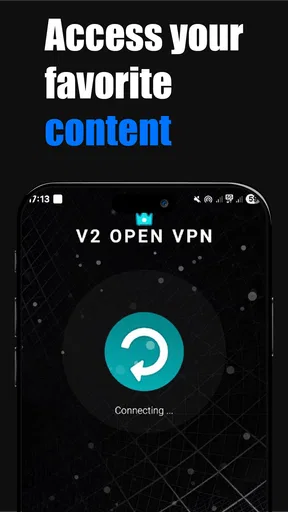
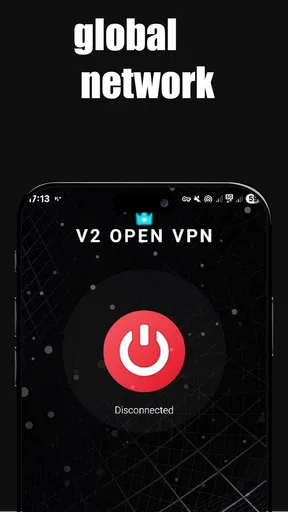
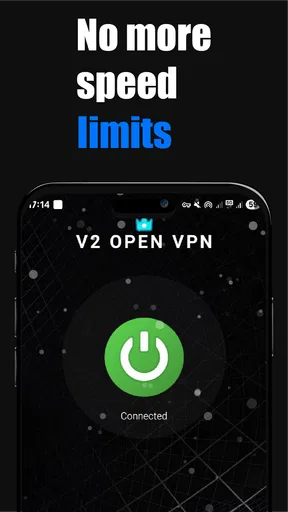
 Analysis by AppCompare
I tend to judge a VPN less by the excitement of the first connection than by whether I still have a reason to open it a few weeks later. That is the useful question with RayTun VPN – Safe Connection: can it become a simple part of an ordinary day, rather than another app I install, test once, and forget? My first impression is that its uncomplicated approach helps, but a lasting place on your phone depends on what you need a VPN to do and how carefully you want to assess its privacy claims.
A quick start is appealing, but it is only the beginning
RayTun VPN is a free communication app from Tak VPN. Its Android release is for devices running version 6.0 or later, and it is rated for Everyone. The app has a 4.9 average from around 12,000 ratings, with over 1 million installs. Those figures suggest that many people have tried it, but popularity is not the same thing as proof that a VPN suits your own habits. I would treat them as a reason to take a look, not as a substitute for deciding what you expect from a privacy tool.
The low-friction appeal is easy to understand: a VPN should not require a networking lesson every time you want to use public Wi-Fi. A quick connection can make sense before checking email in a café, using a hotel network, or handling routine browsing away from home. The best habit is to connect before opening sensitive accounts, rather than remembering halfway through a session. That small change matters more than repeatedly switching locations just because the option is there.
A practical test during the first week is to use it in the situations where you would genuinely want a VPN, then notice whether it gets in the way. Try ordinary browsing, a video call, and a file upload on the connection you normally use. If a page becomes slow or a call gets choppy, disconnect briefly and compare; that helps you tell the difference between a weak network and the VPN route. I would not judge it on one speed check alone, because the network, destination, and time of day can all affect the experience.
Where the monthly value comes from
A VPN earns recurring use through specific routines, not through a promise to make every online activity better. If you often move between home Wi-Fi, mobile data, and shared networks, a single, familiar connection workflow can be useful. If you rarely leave a trusted network and do not have a particular reason to route traffic through a VPN, leaving one connected all day may feel like extra friction rather than an improvement.
For example, picture arriving at a café to answer messages and check a work document while waiting for a friend. Connecting before opening the document is a straightforward routine; switching to a different country without a reason is not. When you finish, check whether apps you rely on still behave normally. Banking, sign-in systems, and some streaming services can react differently to VPN traffic, so a failed login does not automatically mean your account is broken. Disconnecting to complete a task, then reconnecting for general browsing, can be more sensible than fighting the app.
The choice is also different from using a browser’s private mode. Private browsing can keep some activity out of the browser’s local history, but it does not do the same job as routing a connection through a VPN. A VPN is not a magic shield either: it cannot make a suspicious link safe, prevent every form of tracking, or replace careful account security. I find it most useful when I treat it as one layer in a broader routine, alongside unique passwords and caution with unexpected messages.
Worth Reading Before You Choose

EA SPORTS FC Mobile 26 Is a Bigger Football Game, but It Takes Time

Flipboard Shows What News Apps Must Do Beyond the Feed

Switching to Android Auto Means Rethinking Your Driving Routine

Google Calendar Makes a Crowded Week Easier to Manage

Ludo King Makes the Most of the Minutes Between Plans

Baby Panda World Brings Quick Play to Modern Phones, but Its Game Library Feels Busy
What to check before making it a habit
Privacy claims deserve a little attention before I rely on any VPN for sensitive activity. The published article describes RayTun as having a no-log policy, strong encryption, standard protocols, and a kill switch, but those are meaningful only if the current app and its documentation explain what they cover. I would read the privacy information and check the available settings rather than assuming that a reassuring label answers every question. In particular, a VPN changes which service handles your routed traffic; it does not make that service irrelevant to your privacy choices.
It is also worth checking the connection status before entering information you would not want sent over an unprotected network. If a VPN disconnects, a kill switch is intended to prevent traffic from continuing outside the tunnel, but I would not assume it is enabled or configured without checking the app. After connecting, open a non-sensitive page first and confirm that the app still shows an active connection. This simple pause is more useful than tapping connect and immediately moving on without noticing whether the connection succeeded.
On a phone, VPN use can affect how other apps reach online services, and the effect may be more noticeable on a weak or congested connection. If a video call stutters, a game feels delayed, or a work app refuses to sign in, compare the same task with the VPN off before deciding what is wrong. That does not prove the VPN is at fault, but it gives you a practical way to isolate the cause. For activities where a stable route matters more than privacy on a shared network, a trusted private connection may be the better choice.
Maintenance, trade-offs, and fatigue
The maintenance burden should be low if the app’s basic connect-and-use routine fits your day, but it is not necessarily zero. Keep an eye on whether the connection remains active when you expect it to, and revisit the app’s settings after changes to your phone or network habits. If you find yourself repeatedly reconnecting, troubleshooting access, or turning it off for the same services, that pattern is useful evidence: the setup may need adjustment, or a VPN may not be the right tool for that particular task.
Location switching is another place where novelty can wear off. Moving between countries can be useful when you have a concrete access need, but it may also trigger extra sign-in checks or make a service behave unexpectedly. I would choose a location deliberately, then leave it alone unless the task calls for a change. That reduces needless troubleshooting and makes it easier to spot whether a problem is caused by the route rather than by the service itself.
People who want detailed controls, a clearly documented privacy model, or a particular specialist configuration should compare VPNs on those points before settling in. A more configurable alternative may suit them better, while someone seeking only to hide local browser history may need a browser setting rather than a VPN. RayTun’s strongest fit is a person who values a straightforward mobile workflow; its weaker fit is anyone who expects the app alone to guarantee anonymity or to resolve every access restriction.
Getting Started with RayTun VPN
First things first, downloading RayTun VPN – Safe Connection is a breeze. Available on both Android and iOS, the installation process was smooth and didn't require any technical gymnastics. As soon as you fire up the app, you're greeted with a clean and intuitive interface. No clutter, no unnecessary ads – just straightforward options that get you connected in no time.
Features That Stand Out
Now, what really caught my attention were the features. RayTun VPN offers a plethora of servers spread across different countries, allowing you to hop from one location to another with just a tap. This is perfect for those of us who like to access content that might be geo-restricted. Streaming your favorite shows from another country? Easy peasy!
Moreover, the app boasts a no-log policy, which means they’re serious about your privacy. This is a huge plus for anyone concerned about their data being stored or sold. The encryption standards are top-notch, ensuring that your data remains secure, whether you're browsing from a café or chilling at home.
Performance and Speed
Let’s talk performance. I tested the VPN on various networks and was pleasantly surprised by the consistent speeds. There was minimal buffering while streaming videos, and browsing was as smooth as butter. Sure, there might be a slight dip in speed depending on the server location, but it’s barely noticeable for everyday use.
For gamers, the low latency is a blessing. I didn’t experience any lag while gaming online, which is often a deal-breaker with many VPNs out there. This makes RayTun VPN a solid choice for gaming enthusiasts.
User Experience and Support
The user experience is seamless. The app is designed to be user-friendly, even for those who might not be tech-savvy. The settings are clear, and connecting to a server takes just a couple of seconds. If you do run into any hiccups, the customer support is responsive. They offer a variety of support channels, from FAQs to direct contact options, ensuring you’re never left in the dark.
Security and Privacy
Security is at the heart of RayTun VPN. With military-grade encryption, your data is well-protected against prying eyes. The app uses industry-standard protocols, which is reassuring. Plus, the added feature of an automatic kill switch ensures that your connection isn't accidentally exposed if the VPN drops. This level of security is crucial for those of us who prioritize privacy above all else.
Final Thoughts
All in all, RayTun VPN offers a robust package for anyone looking to enhance their online security and freedom. It excels in providing a reliable, fast, and secure connection that’s easy to use. Whether you’re a casual browser, a media streamer, or a hardcore gamer, RayTun VPN has something for everyone.
So, if you’re in the market for a VPN that doesn’t break the bank but delivers where it counts, RayTun VPN is definitely worth considering. Give it a try, and you might just find it’s the perfect fit for your digital life!
My long-term test for a VPN
After the first-week curiosity fades, I would judge this app by whether it solves a recurring problem with little effort. The most convincing reason to keep it installed is a repeated need for a protected connection on networks you do not control. If that situation comes up only occasionally, it can still be useful, but I would avoid leaving it on by reflex without checking how it affects the apps I use most.
My practical recommendation is to give it a short, deliberate trial: use it for the same everyday tasks both with and without the VPN, note any sign-in or performance friction, and review the privacy settings before relying on it for sensitive work. If it fits cleanly into that routine, its simple approach may earn its place. If you need extensive control or a privacy model you can examine in depth, compare alternatives first. A VPN is valuable when its protections and trade-offs are clear to you, not merely because the connection button is easy to press.
Pros
- Easy to use with a clean interface.
- Provides a stable and fast connection.
- Wide range of server locations available.
- No registration required for basic use.
- Supports multiple devices simultaneously.
Cons
- Limited features in the free version.
- Occasional drops in connection speed.
- Ads can be intrusive at times.
- Limited customer support options.
- May collect some user data for analytics.
FAQs for RayTun VPN – Safe Connection
What platforms is RayTun VPN – Safe Connection available on?
RayTun VPN – Safe Connection is available for both Android and iOS devices. Users can download the app from the Google Play Store for Android devices and the Apple App Store for iOS devices. The app is designed to provide a seamless and secure VPN experience across different operating systems.
Is RayTun VPN – Safe Connection free to use?
RayTun VPN offers both free and premium versions. The free version provides basic VPN services with limited server options and bandwidth. For users seeking enhanced features, such as more server locations and faster speeds, the premium version is available through a subscription model with different pricing plans.
How secure is RayTun VPN – Safe Connection?
RayTun VPN prioritizes user security by employing strong encryption protocols to protect data. It uses AES-256 encryption, which is considered highly secure, to ensure that users' online activities and personal information remain private. Additionally, the app includes a no-logs policy, ensuring that users' browsing history is not stored.
Can RayTun VPN – Safe Connection bypass geo-restrictions?
Yes, RayTun VPN is capable of bypassing geo-restrictions on various platforms. By connecting to different server locations, users can access content that might be restricted in their region, such as streaming services or websites. The VPN allows users to enjoy a wider range of online content without limitations.
Does RayTun VPN affect internet speed?
Using any VPN can affect internet speed due to encryption and routing processes. However, RayTun VPN is optimized to minimize speed reductions. Premium users typically experience faster and more stable connections due to access to more servers and less congestion. It's important to choose a nearby server for optimal speed.


